
Bodysuit Size Codes: Match Labels to Order Lines
Match a bodysuit order line to the literal code that the supplier will place on its physical size label. Keep that supplier code beside the buyer code, the exact catalogue style and an approved label reference. Ask for confirmation wherever a field remains open. A catalogue size name alone does not establish a measured fit, an equivalent size in another market or available stock.
For wholesale yoga bodysuit enquiries, a short code can travel through several documents before anyone checks what will actually be printed. The purchase order may use a retail code, the sample request may use a supplier code, and a label file may contain a third notation. A simple approval record makes these relationships visible before a purchasing team treats the documents as interchangeable.
Start with the named bodysuit
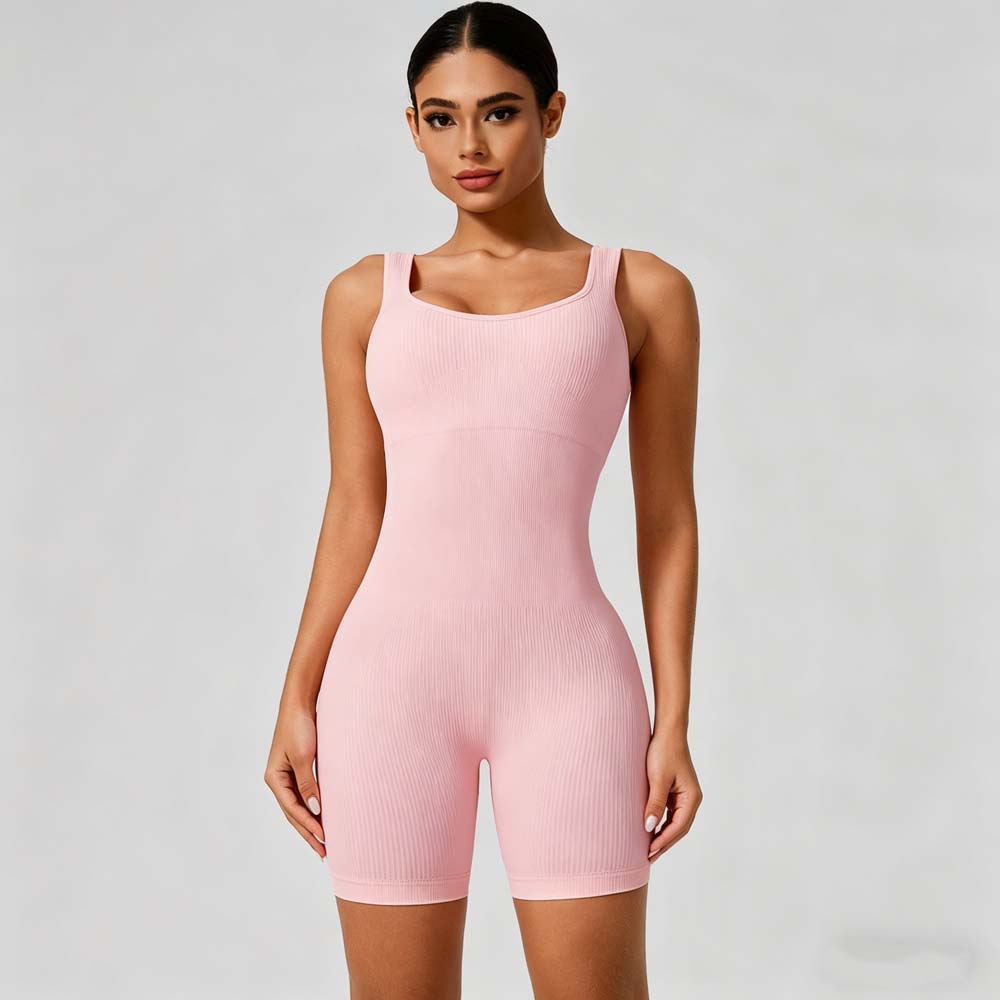
The selected ZR Knitwear product page identifies the Seamless Ribbed Workout Bodysuit (Short Length). The scoped catalogue review on November 2, 2026 records a square neckline, wide straps and the literal size series S, M, L and XL for this style. Treat those names as catalogue declarations. They do not provide a conversion chart or establish which options can be supplied for a particular order.
Use this exact product reference:
https://zrknitwear.com/product/seamless-ribbed-workout-bodysuit-short-length/
The accompanying front product photograph identifies the selected garment. It does not show a physical size label or prove the wording on one. Request label evidence separately. Keep unrelated size notations from other dresses or jumpsuits outside this record, even when those products appear in the same catalogue category.
1. Give every order line an unambiguous identity
Begin with the buyer purchase order reference and its line reference. Add the full selected product name and the exact product URL. If the supplier uses an internal style identifier, ask the supplier to provide and confirm it. Do not manufacture a style number from a photograph filename or assume that a similar garment uses the same identifier.
Specify which document controls the order when a quotation uses an abbreviated product description. A useful question is: does this quotation line refer to the same short-length bodysuit shown at the linked product page? Keep the answer with the quotation revision. This links the commercial description to the intended style without turning a catalogue name into a technical specification.
2. Keep buyer codes and supplier codes in separate fields
Enter the code used in the buyer system exactly as written there. In a different field, enter the literal supplier code proposed for the garment label. Ask whether spacing, capitalisation or additional characters form part of that printed code. A buyer code should not silently replace the supplier entry during spreadsheet cleanup.
The catalogue series S, M, L and XL can help frame this question, but each intended order line still needs an explicit supplier response. If the buyer uses a different naming system, request an agreed cross-reference. Do not infer that two familiar labels describe the same fit. Measurements, grading and fit approval require their own evidence and should not be invented to complete this code record.
3. Request the actual label reference
Ask for a proposed label artwork file or a clearly identified photograph of the applicable sample label. Have the supplier state which exact style and supplier code that reference covers. Record the file revision and the location of the size code within the design. If the proposed file is generic, ask which fields will change for this order.
Keep artwork approval and physical sample observation distinguishable. A drawing can document proposed wording; a sample photograph can document what was attached to that sample. Neither automatically proves that every future unit will carry the same label. State which reference is being reviewed and what additional supplier confirmation the order requires.
A reusable approval record
Order-line reference | Exact style | Buyer code | Supplier literal code | Label artwork revision | Supplier confirmation
Enter the purchase order line | Paste the full selected product name | Copy the buyer entry unchanged | Await the supplier entry | Identify the proposed file | Open until answered
Link the quotation line | Add the exact product URL | Preserve any buyer suffix | Do not convert automatically | Record the applicable revision | Confirm the style and code together
Link an approved sample | Retain the same style reference | Keep the approved buyer entry | Copy the observed sample label | Link its photograph or artwork | State the scope of approval
These are blank working instructions, not reported label contents. Duplicate the record for each applicable order line. Where an answer is missing, leave a clear open status instead of copying a nearby answer to make the sheet look complete.
4. Resolve differences before approving the mapping
Compare the purchase order, quotation, proposed label and sample reference side by side. Look for a missing suffix, a different style name or a code attached to the wrong line. Ask the supplier to resolve the exact discrepancy in writing. Avoid a general reply such as same as before when the previous reference is not identified.
If the supplier proposes different wording, retain the previous entry and record the replacement as a revision. Identify who approved the change and which order lines it affects. A correction should be traceable rather than hidden by overwriting the original response. An unresolved mismatch means the mapping remains open; it does not justify an assumed conversion.
5. Close the record with a bounded approval
The approval should name the order line, selected style, buyer code, supplier literal code and the agreed label reference. Specify whether the approval covers proposed artwork, an observed sample label or both. Ask the supplier to identify any remaining exception before the purchasing team releases the relevant instruction.
Keep the approved record accessible to the people handling later document changes. If a subsequent order uses the same style name but a different buyer code, review the mapping again for that order. Reuse the record structure, not an unexamined conclusion. This procedure concerns code identity and traceability; it does not establish composition, compliance, fit or stock availability.
Short FAQ
Does the listed S, M, L and XL series establish physical measurements?
No. It records the literal catalogue size series for the selected style. Request the relevant supplier measurement information separately and agree its scope before using it for a fit decision.
Can a front product image confirm the size label?
No. The selected photograph is a product-identification reference. Ask for a separate applicable label artwork or sample-label photograph, tied to the same style and order line.
What should a buyer do when two documents use different codes?
Keep both entries visible and request an explicit cross-reference or correction. Record the supplier response and its revision. Do not silently substitute one notation for the other.
Can an old approval be copied to a new order?
The layout can be reused. The actual style, order line, supplier code and label reference need confirmation for the new instruction. A previous approval does not prove present availability or unchanged label wording.
Send a focused label-code enquiry
Send ZR Knitwear the exact bodysuit product link, the buyer order-line reference and the unconverted buyer code. Ask for the supplier literal code, an applicable label reference and a written confirmation of the mapping. This gives the supplier a defined question to answer instead of a general request to confirm all sizes.
Contact: https://zrknitwear.com/contact/
Related buying articles: https://zrknitwear.com/blog/